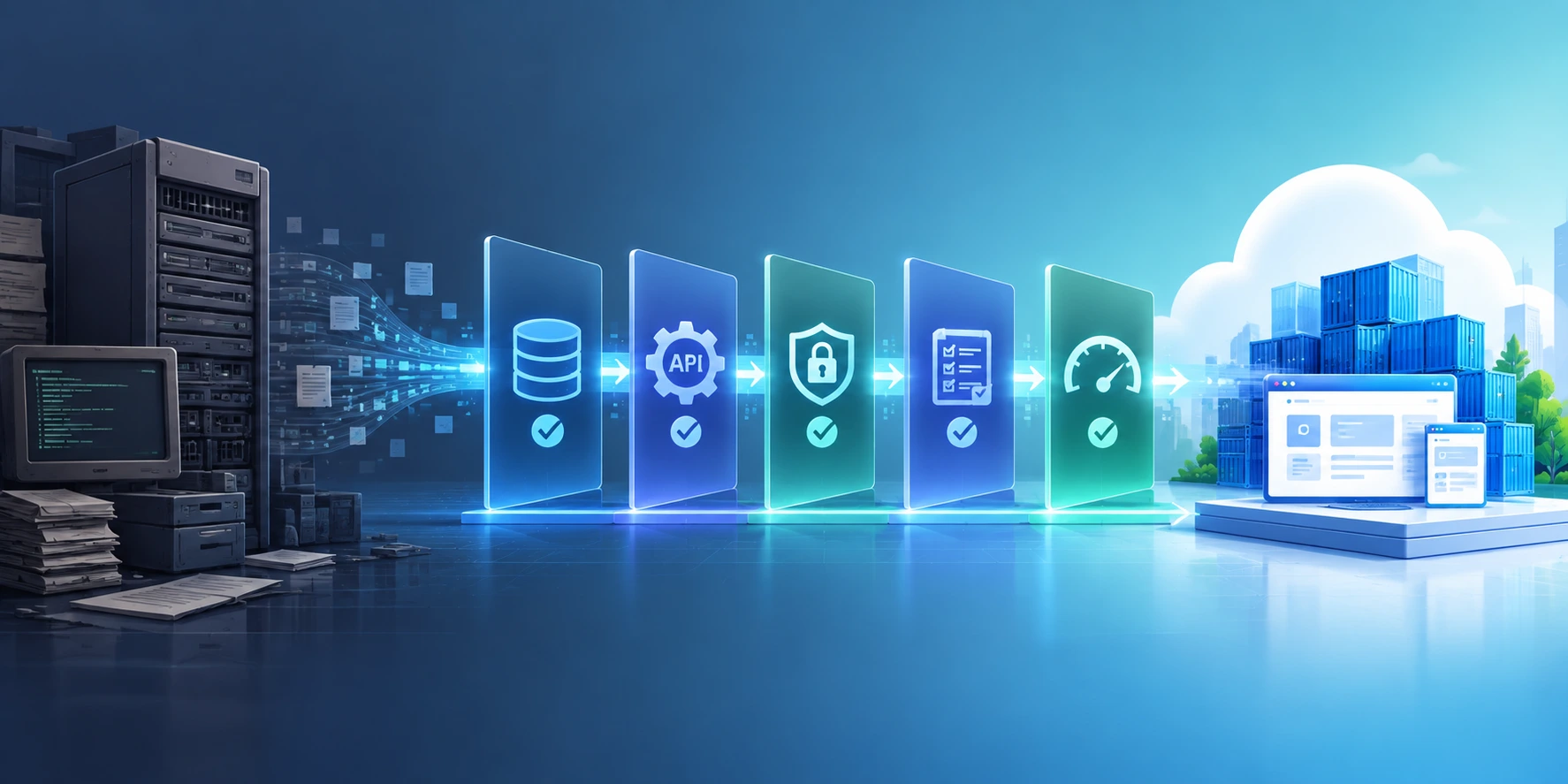
A legacy modernization testing strategy validates that a modernized application preserves critical business behavior while improving its architecture, performance, security, scalability, and reliability. It combines regression, data, integration, performance, security, resilience, parallel, and user acceptance testing with defined release and rollback criteria.
What is a legacy modernization testing strategy?
A legacy modernization testing strategy is a risk-based approach for validating that a modernized application preserves critical business behavior while improving its architecture, performance, security, and scalability. It combines regression, integration, data, performance, security, and user acceptance testing with parallel validation and controlled production rollout.
Know more about Legacy Modernization Services in 2026: How Enterprises Are Cutting Costs with AI.
TL;DR
- Start testing before migration begins, not after the new application is built.
- Capture the behavioral baseline of the legacy application before changing it.
- Prioritize testing around business-critical workflows and failure risks, not just code coverage.
- Use automated regression testing to protect existing functionality during modernization.
- Compare legacy and modernized outputs through parallel testing where practical.
- Validate data migration independently from application functionality.
- Test APIs, databases, third-party services, batch jobs, and other dependencies.
- Add performance, security, resilience, and recovery testing before production cutover.
- Use AI-assisted testing to accelerate test generation and analysis, but keep risk-based human governance.
- Define rollback and release gates before cutover so failures have a controlled response.
Introduction: Why Testing Becomes the Critical Control Point in Legacy Modernization
Legacy modernization testing is critical because replacing technology can unintentionally change business behavior that may not be documented anywhere else. During an AI-led migration, teams must validate not only whether the new application works, but whether it continues to produce the right business outcomes, handle edge cases, preserve data, and integrate correctly with surrounding systems.
Modernization often involves changing several layers simultaneously:
- Application architecture
- Programming languages or frameworks
- Databases
- APIs and integrations
- Infrastructure
- Deployment pipelines
- Data models
- Authentication and security controls
- User interfaces
- Business logic
The challenge is that the legacy application itself may be the only reliable source of business behavior.
This changes the role of testing.
Instead of asking:
“Does the new application work?”
A stronger modernization program asks:
“Can we prove that the modernized application preserves the behavior the business depends on?”
That distinction is the foundation of an effective legacy modernization testing strategy.
Read more in our blog on Application Modernization Challenges: Top Obstacles, Strategies, and Best Practices.
What Makes Legacy Modernization Testing Different?
Legacy modernization testing differs from conventional application testing because the team is validating change without losing existing business behavior.
A normal software release typically tests whether new functionality works. Modernization testing has an additional objective: prove that existing functionality has not regressed while the underlying technology changes.
This creates four validation questions:
| Validation Question | What It Confirms |
|---|---|
| Does it work? | Functional correctness |
| Does it behave like the legacy system where required? | Behavioral parity |
| Does it meet modern requirements? | Performance, security, scalability |
| Can the business operate safely after migration? | Operational readiness |
Microsoft’s Cloud Adoption Framework similarly emphasizes regression, performance, and security testing when validating modernization changes.
A Practical Legacy Modernization Testing Strategy
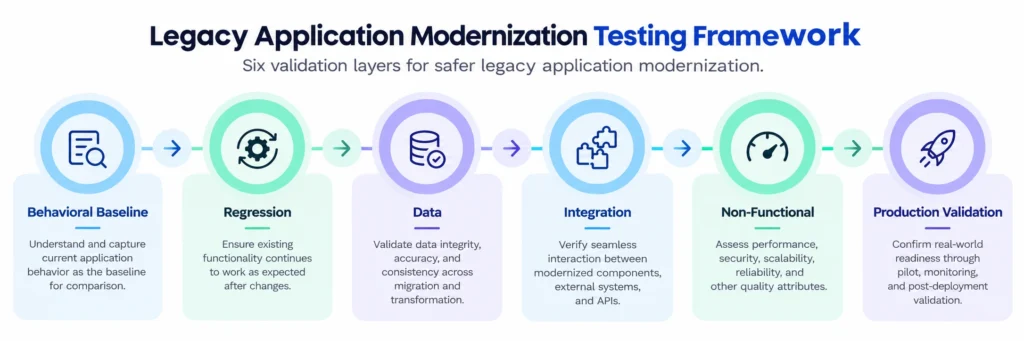
A strong approach can be organized into six testing layers:
Baseline → Functional → Data → Integration → Non-functional → Production Validation
This keeps the strategy focused without turning modernization testing into an unmanageable collection of test cases.
Microsoft recommends formalizing the test strategy, testing early and continuously, using layered coverage, and prioritizing tests that align with business objectives.
1. Establish a Behavioral Baseline Before Migration
The first step in a legacy modernization testing strategy is to establish what the existing application actually does before changing it. Capture representative inputs, outputs, business rules, database states, API responses, reports, files, and important exception scenarios. This baseline becomes the reference point for validating the modernized application.
This is particularly important when documentation is incomplete.
Teams can use:
- Characterization testing
- Golden-master testing
- Approval testing
- Production-like test data
- API response capture
- Database comparison
- Business workflow recording
- Existing production incidents
For example, consider an insurance application that calculates a premium using decades-old business rules.
The documentation may state:
Calculate premium based on policy type and risk.
But the actual application may also contain undocumented rules involving:
- Customer history
- Geographic conditions
- Policy exceptions
- Legacy rounding logic
- Date boundaries
- Special underwriting conditions
A modernization that technically implements the documented requirement could still change the actual business outcome.
The legacy application’s observed behavior therefore becomes valuable testing evidence.
2. Prioritize Business-Critical Regression Testing
Regression testing should focus first on the workflows where modernization failure has the greatest business impact. Instead of attempting to automate every legacy scenario immediately, prioritize revenue-generating, customer-facing, regulated, operationally critical, and historically unstable workflows.
A useful prioritization model is:
Risk = Business Impact × Failure Likelihood × Change Complexity
High-priority areas typically include:
- Authentication and authorization
- Payments and financial transactions
- Order processing
- Customer onboarding
- Claims processing
- Pricing calculations
- Billing
- Inventory
- Regulatory reporting
- Data synchronization
- Critical batch processing
Example
For an e-commerce modernization:
| Workflow | Business Risk | Testing Priority |
|---|---|---|
| Product search | Medium | Medium |
| Product recommendations | Low | Medium |
| Checkout | Critical | Highest |
| Payment authorization | Critical | Highest |
| Order creation | Critical | Highest |
| Promotional pricing | High | High |
| Admin reporting | Medium | Medium |
This approach produces a smaller but more valuable regression suite.
Microsoft recommends testing early, testing continuously, and focusing pipeline tests on critical workflows rather than indiscriminately running every possible test.
3. Validate Data Migration Separately
Data migration testing should be treated as a separate validation discipline because an application can function correctly while using incomplete, inaccurate, or incorrectly transformed data. Validate record completeness, field accuracy, relationships, transformations, historical records, calculations, and downstream data consumption.
Key checks include:
Data completeness
Did every required record migrate?
Data accuracy
Did values remain correct after transformation?
Referential integrity
Do relationships between customers, orders, products, transactions, and other entities remain intact?
Transformation accuracy
Were legacy fields mapped correctly to the modern data model?
Historical data
Can the modernized application correctly process older records?
Reconciliation
Do important totals and aggregates match between systems?
For high-value systems, establish automated reconciliation wherever possible.
Data parity should be measured—not assumed.
4. Test Integrations and System Boundaries
Legacy applications rarely operate independently, so modernization testing must validate every critical integration boundary. APIs, databases, queues, files, identity providers, third-party services, batch processes, and downstream applications can all introduce migration defects even when the modernized application passes functional tests.
Test:
- REST and SOAP APIs
- Database connections
- Event streams
- Message queues
- File transfers
- Authentication services
- Payment providers
- ERP/CRM integrations
- External partner systems
- Scheduled jobs
- Reporting systems
A useful technique is to create an integration dependency map before migration.
                    ┌──────────────┐
                    │ Customer UI  │
                    └──────┬───────┘
                           │
                     ┌─────▼─────┐
                     │ Modern App │
                     └─────┬─────┘
                           │
       ┌───────────────────┼───────────────────┐
       ▼                   ▼                   ▼
   Database             API Layer          Event Bus
       │                   │                   │
       ▼                   ▼                   ▼
 Reporting            External SaaS       Downstream Apps
Every boundary becomes a potential regression point.
5. Use Parallel Testing to Detect Behavioral Drift
Parallel testing compares the legacy and modernized applications using the same inputs to identify differences before production users encounter them. It is especially valuable for high-risk modernization because it exposes behavioral drift that conventional functional testing may miss.
For example:
Input → Legacy Application → Output A
Input → Modernized Application → Output B
The testing framework then compares:
- Response values
- Calculations
- Database changes
- API payloads
- Generated files
- Business status
- Error handling
- Processing times
Not every difference is automatically a defect.
The modernized application may intentionally change behavior—for example, to fix a known legacy limitation.
Therefore, comparison should classify differences as:
Expected change | Acceptable difference | Defect | Requires investigation
This prevents teams from treating every deviation as a failure.
6. Test Performance, Security and Resilience Before Cutover
Modernization is not successful if the application is functionally correct but slower, less secure, or less resilient than the business requires. Non-functional testing should therefore validate performance, scalability, security, availability, recovery, and behavior under realistic production conditions.
At minimum, evaluate:
Performance
- Response time
- Throughput
- Concurrent users
- Batch-processing duration
- Database performance
Security
- Authentication
- Authorization
- Encryption
- Secrets management
- API security
- Vulnerability exposure
Resilience
- Dependency failure
- Database failure
- Network interruption
- Service timeout
- Retry behavior
- Failover
- Recovery
Scalability
Test expected production load plus appropriate headroom.
Microsoft’s Azure Well-Architected guidance recommends realistic conditions, layered testing, purpose-driven environments, and continuous validation rather than treating testing as a one-time activity.
How AI Changes Legacy Modernization Testing
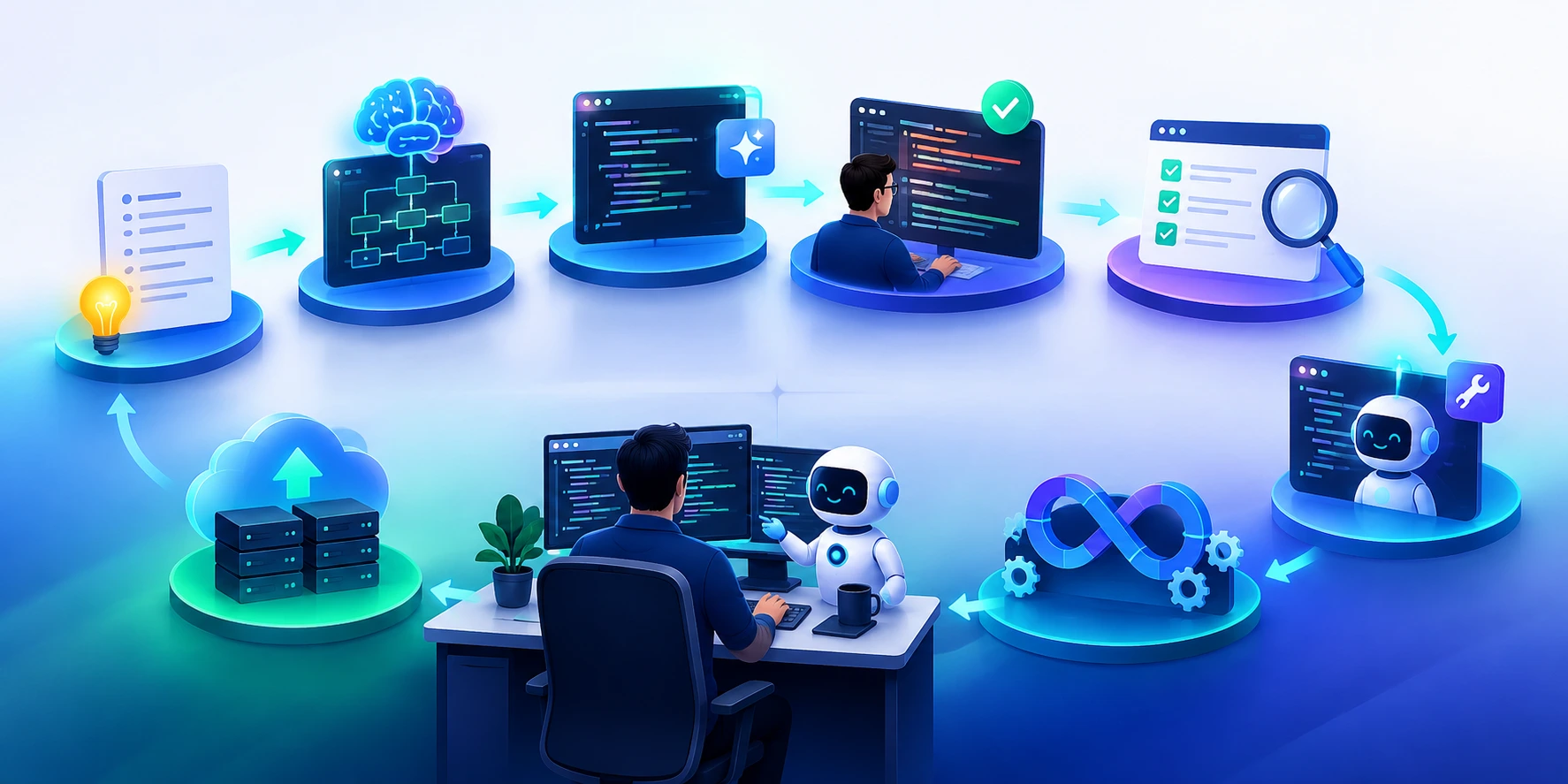
AI can accelerate legacy modernization testing by analyzing legacy code, generating test scenarios, identifying edge cases, creating test data, analyzing failures, and detecting potential gaps. However, AI-generated testing should remain subject to measurable quality controls and human oversight for high-risk decisions.
AI can assist across the modernization lifecycle:
| Testing Activity | AI Assistance |
|---|---|
| Test discovery | Identify business scenarios from legacy code and logs |
| Test generation | Generate functional and edge-case tests |
| Test data | Create representative synthetic datasets |
| Regression analysis | Compare legacy and modern outputs |
| Failure analysis | Cluster failures and suggest root causes |
| Coverage analysis | Identify potentially untested paths |
| Test maintenance | Suggest updates when interfaces change |
| Defect prediction | Highlight areas requiring deeper validation |
The key principle is:
Use AI to expand testing intelligence, not to remove testing accountability.
For AI-assisted modernization, governance should address explainability, traceability, human review, security, and validation. NIST’s AI Risk Management Framework specifically emphasizes trustworthy characteristics such as validity, reliability, safety, security, transparency, and accountability across the AI lifecycle.
The Modernization Testing Gate: When Is the New Application Ready?
A modernization program should define explicit release gates rather than relying on a generic “all tests passed” signal.
| Gate | Pass Criteria |
|---|---|
| Functional | Critical business workflows pass |
| Regression | No unexplained high-severity behavioral differences |
| Data | Required records and transformations reconcile |
| Integration | Critical dependencies operate correctly |
| Performance | SLAs/SLOs are achieved |
| Security | Critical vulnerabilities resolved |
| Resilience | Recovery scenarios meet defined targets |
| UAT | Business stakeholders approve critical workflows |
| Operations | Monitoring, alerting and support processes ready |
| Rollback | Rollback path tested and executable |
This makes modernization readiness evidence-based rather than opinion-based.
A Low-Risk Cutover Model for Legacy Modernization
The safest modernization cutovers are usually incremental, observable, and reversible rather than dependent on a single high-risk switch. Where architecture permits, organizations can use phased releases, feature flags, canary deployments, blue-green techniques, or parallel operation to limit exposure and validate behavior progressively.
A practical sequence is:
Build → Test → Compare → Release to small population → Monitor → Expand → Retire legacy
Before production cutover, define:
- Go/no-go criteria
- Rollback thresholds
- Monitoring requirements
- Error-rate thresholds
- Performance thresholds
- Data reconciliation criteria
- Business approval requirements
Microsoft’s guidance for mission-critical workloads recommends rigorous pre-release testing, continuous validation, and deployment approaches that minimize user impact.
For mission-critical applications, Microsoft recommends rigorous pre-release testing and continuous validation alongside deployment practices designed to minimize production impact.
Legacy Modernization Testing Checklist
Use this checklist before moving a modernized application into production:
Before modernization
- Identify business-critical workflows
- Map application dependencies
- Capture current system behavior
- Establish baseline performance
- Document known defects and exceptions
- Create a prioritized regression suite
During modernization
- Automate critical regression tests
- Validate APIs and integrations
- Reconcile migrated data
- Compare legacy and modern outputs
- Test security controls
- Test performance and scalability
- Validate failure and recovery scenarios
Before production
- Complete business UAT
- Resolve unexplained behavioral differences
- Validate production-like environments
- Confirm observability and alerting
- Define rollback thresholds
- Execute a cutover rehearsal
- Obtain business and technology sign-off
After cutover
- Monitor critical transactions
- Compare production behavior
- Track incidents and escaped defects
- Expand regression coverage based on production findings
- Retire legacy components only after defined exit criteria are met
Common Mistakes in Legacy Modernization Testing
Testing only after the migration
By then, teams may discover that the legacy application’s behavior was poorly understood.
Measuring success through test count
1,000 generated tests can provide less confidence than 100 well-designed tests covering critical business behavior.
Treating data migration as a technical task
Data quality directly affects application correctness.
Ignoring integration dependencies
The modernized application may work while surrounding systems fail.
Comparing outputs without understanding differences
Not every behavioral difference is a defect. Some are intentional improvements.
Allowing AI to validate its own decisions
AI-generated tests and AI-generated conclusions should have appropriate independent validation, especially for high-risk systems.
Making cutover irreversible
A modernization plan without a tested rollback path concentrates operational risk into one event.
How to Measure Modernization Testing Effectiveness
A useful modernization quality dashboard should combine conventional testing metrics with business and migration-specific measures.
| Metric | What It Tells You |
|---|---|
| Critical workflow coverage | Whether important business processes are protected |
| Defect escape rate | Whether validation catches problems before production |
| Regression pass rate | Stability during migration |
| Mutation score | Effectiveness of tests at detecting introduced defects |
| Data reconciliation rate | Migration accuracy |
| Legacy-modern parity | Behavioral consistency |
| Test flakiness | Reliability of automation |
| Mean time to diagnose | Effectiveness of failure analysis |
| Performance variance | Whether modernization changed system performance |
| Rollback readiness | Ability to recover safely |
The goal is not maximum test volume.
It is maximum confidence per unit of testing effort.
Read our blog on Legacy Modernization Assessment: Which Applications to Modernize First.
Conclusion
A legacy modernization testing strategy should prove more than technical functionality. It must establish that critical business behavior, data, integrations, performance, security, and operational resilience remain reliable as the underlying application changes.
The most effective approach is to:
Baseline → Prioritize → Automate → Compare → Validate → Release Gradually → Monitor
AI can make this process faster by generating scenarios, analyzing legacy systems, expanding coverage, and accelerating failure investigation. But the final measure of modernization quality is not how much AI-generated testing a team produces.
It is whether the organization can prove that the modernized application is safe to operate.
For enterprises modernizing complex legacy estates, Techment can combine AI-led engineering, quality engineering, test automation, application modernization, cloud modernization, and enterprise software engineering to build a modernization path that reduces risk while accelerating transformation.
FAQs
1. What is a legacy modernization testing strategy?
A legacy modernization testing strategy is a structured approach to validating an application’s functionality, business behavior, data, integrations, performance, security, and resilience while it is being modernized or migrated to a new architecture.
2. What should be tested during legacy application modernization?
Organizations should test critical business workflows, regression scenarios, data migration, APIs, integrations, security, performance, scalability, resilience, recovery, and user acceptance.
3. Why is regression testing important during modernization?
Regression testing verifies that modernization has not unintentionally changed existing functionality or business behavior that users and downstream systems depend on.
4. What is parallel testing in legacy modernization?
Parallel testing runs equivalent workloads through the legacy and modernized applications and compares their results. It helps identify behavioral differences before production cutover.
5. How can AI improve legacy modernization testing?
AI can analyze legacy code and documentation, generate test scenarios, identify edge cases, create test data, analyze failures, detect potential coverage gaps, and assist with test maintenance.
6. How do you validate data during legacy modernization?
Validate data completeness, accuracy, transformation rules, referential integrity, historical records, calculations, and reconciliation between legacy and modernized systems.
7. When should testing begin in a modernization project?
Testing should begin during discovery and planning, before migration starts. Establishing a behavioral and performance baseline early provides a reference for later validation.
Related Reads
- AI Data Engineering: Building Autonomous Enterprise Data Pipelines.
- How to Build AI-Native Applications for Enterprise Scale.
- Legacy Modernization Services in 2026: How Enterprises Are Cutting Costs with AI
- Enterprise AI agent adoption challenges
- The 30-60-90 Day Enterprise AI Readiness Roadmap For Enterprise AI Success
- Application Modernization Challenges: Top Obstacles, Strategies, and Best Practices