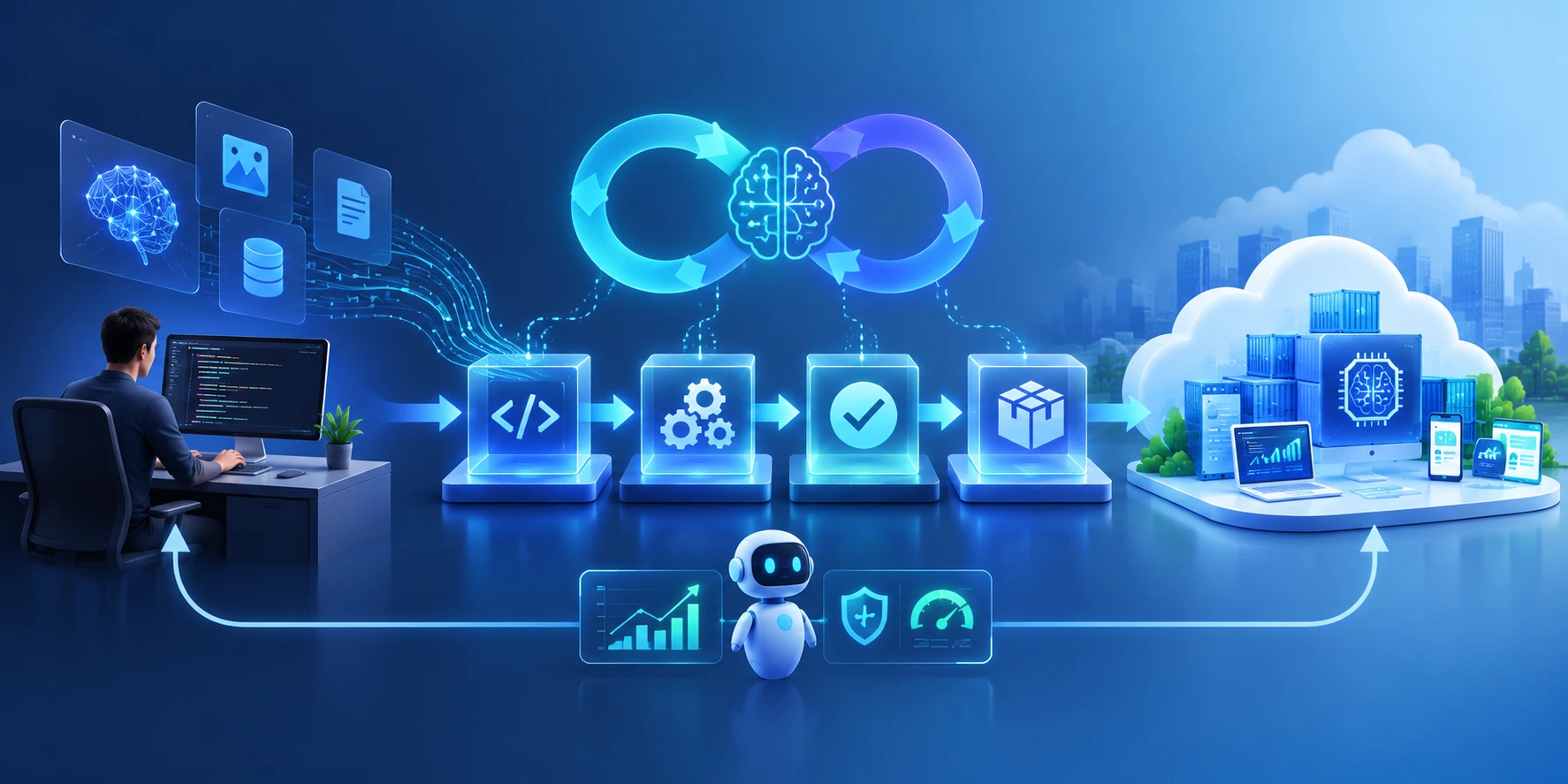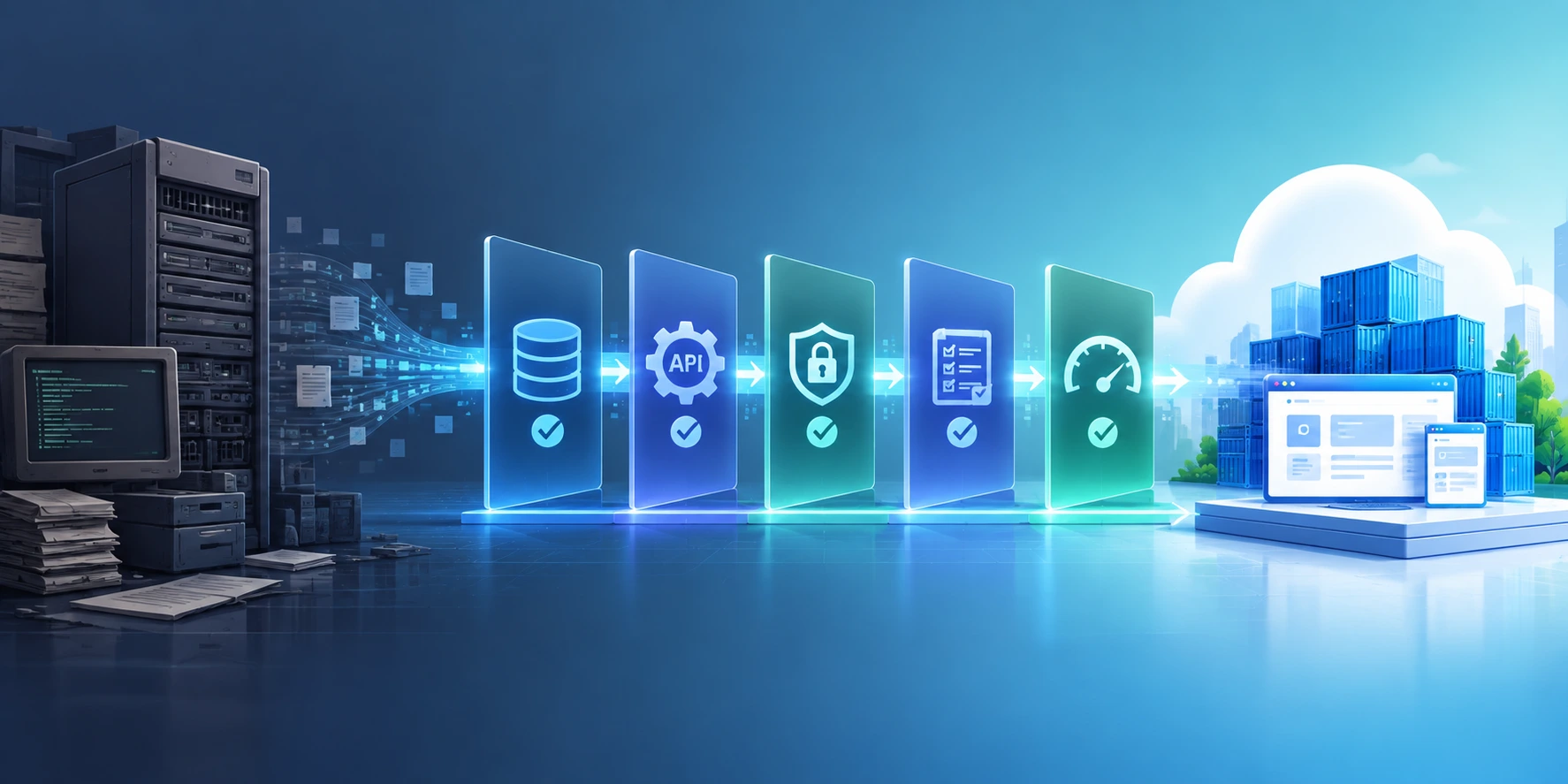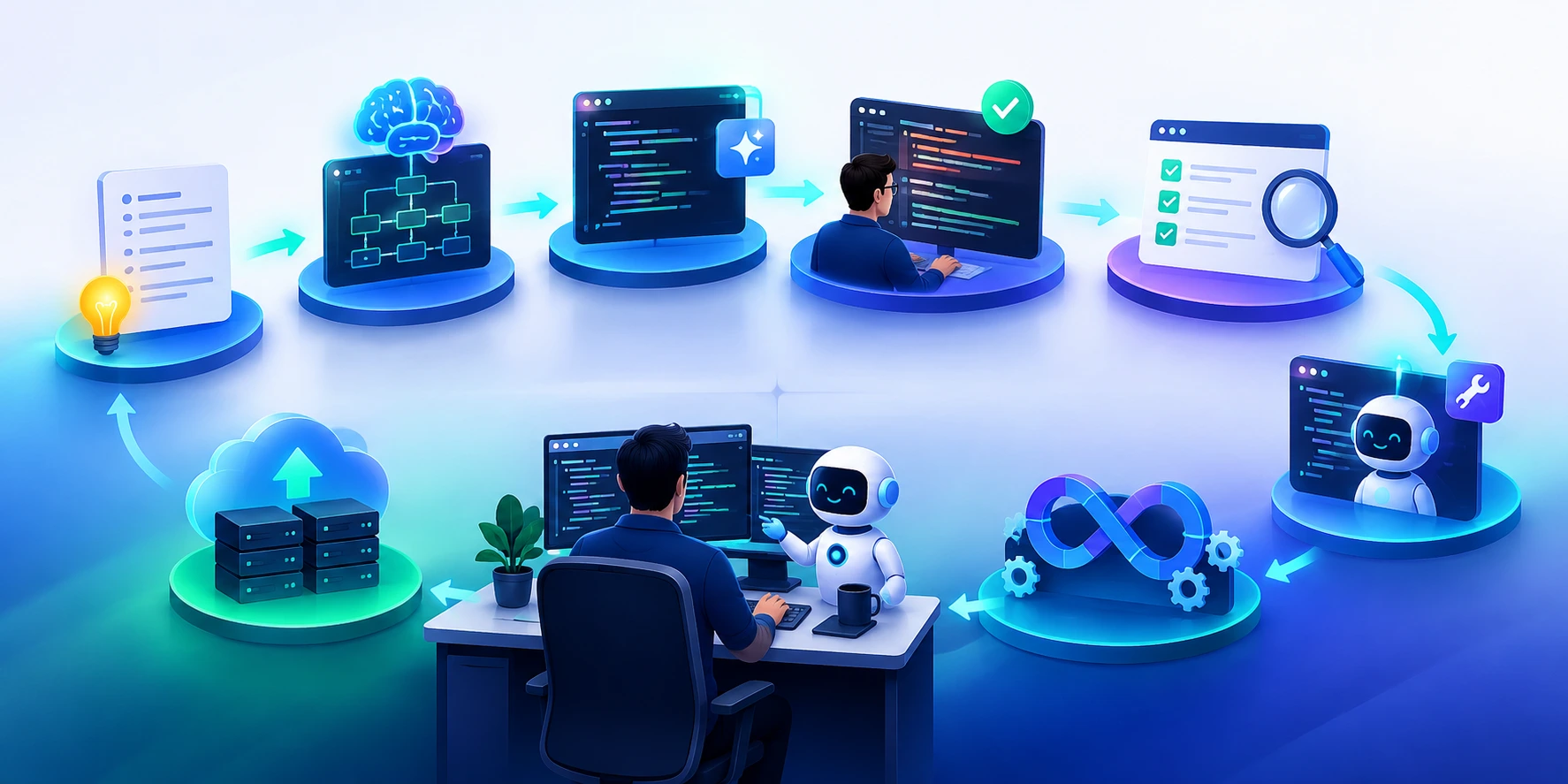
AI-native DevOps extends traditional DevOps practices to the unique requirements of AI-powered applications, including model behavior, prompts, evaluation datasets, retrieval pipelines, AI agents, security controls, and inference performance. Instead of treating AI as an isolated feature, an AI-native DevOps pipeline manages the entire application stack as a continuously tested, versioned, observable, and deployable system.
As enterprises move AI applications from prototypes into production, traditional CI/CD alone is no longer sufficient. A code change can alter application behavior, but so can a prompt update, model upgrade, retrieval change, tool configuration, or data-quality issue.
The result is a new engineering requirement: build, test, evaluate, deploy, monitor, and govern AI applications through the same automated delivery lifecycle.
TL;DR
- AI-native DevOps applies DevOps automation and governance to AI-powered applications.
- AI CI/CD must validate more than source code; it should also evaluate models, prompts, data, retrieval, tools, security, and AI outputs.
- Automated AI evaluation gates should prevent releases when accuracy, safety, relevance, latency, or other critical quality measures regress.
- Prompts, model configurations, evaluation datasets, policies, and application code should be versioned as production artifacts.
- Progressive deployment, observability, human approval, and rollback are essential for enterprise AI.
- Mature pipelines combine CI/CD + AI evaluation + security + observability + governance rather than treating them as separate activities.
What Is AI-Native DevOps?
AI-native DevOps is an engineering approach that adapts CI/CD, testing, infrastructure automation, security, and observability for AI-powered applications. It manages both deterministic software components and probabilistic AI components throughout development and production.
Traditional DevOps primarily manages:
Code → Build → Test → Deploy → Monitor
AI-native DevOps expands that lifecycle:
Code + Prompt + Model + Data + Retrieval + Tools → Build → Test → Evaluate → Secure → Deploy → Observe → Improve
This distinction matters because an AI application can technically pass conventional software tests while still producing inaccurate, unsafe, irrelevant, or inconsistent outputs.
Microsoft’s MLOps guidance similarly extends CI/CD practices to model development, deployment, monitoring, data preparation, and model lifecycle management.
For generative AI applications, AWS recommends formal versioning, automated CI/CD, multi-layer testing and evaluation, security controls, observability, and continuous feedback as part of a GenAIOps lifecycle.
Why is CI/CD different for AI applications?
CI/CD for AI applications must validate more than code. It should also test model behavior, prompts, data, retrieval quality, AI outputs, security, latency, and cost. Automated evaluation gates help prevent AI quality regressions from reaching production even when conventional software tests pass.
Why Traditional CI/CD Is Not Enough for AI Applications
Traditional CI/CD verifies whether software builds and behaves according to predefined tests. AI-native DevOps must additionally verify whether AI behavior remains accurate, safe, relevant, and within acceptable performance and cost boundaries.
Consider an enterprise customer-service copilot.
A developer changes the system prompt to improve response quality. The application builds successfully, unit tests pass, and integration tests remain green. As per Microsoft Learn — Use Azure Pipelines with Azure Machine Learning, CI/CD can automate data preparation, model training, deployment, and monitoring across the ML lifecycle.
Yet the new prompt could:
- Increase hallucinations.
- Reduce response grounding.
- Change the tone of customer responses.
- Cause sensitive information to be disclosed.
- Increase token consumption.
- Produce longer responses and higher latency.
- Change how tools are invoked.
- Break previously successful workflows.
Nothing is technically “broken,” but the AI application has regressed.
This is why AI-native DevOps introduces evaluation as a first-class release gate.
AI-Native DevOps vs. Traditional DevOps vs. MLOps
| Capability | Traditional DevOps | MLOps | AI-Native DevOps |
|---|---|---|---|
| Source-code CI/CD | ✓ | ✓ | ✓ |
| Infrastructure as Code | ✓ | ✓ | ✓ |
| Automated software testing | ✓ | ✓ | ✓ |
| Model versioning | — | ✓ | ✓ |
| Data validation | Limited | ✓ | ✓ |
| Prompt versioning | — | Limited | ✓ |
| LLM evaluation | — | Limited | ✓ |
| RAG evaluation | — | Limited | ✓ |
| AI-agent/tool testing | — | Limited | ✓ |
| Safety/guardrail testing | Security-focused | Limited | ✓ |
| Model monitoring | — | ✓ | ✓ |
| AI output monitoring | — | Limited | ✓ |
| Cost/token monitoring | — | Limited | ✓ |
| Progressive AI rollout | ✓ | ✓ | ✓ |
| Human approval for high-risk AI | Optional | Common | Risk-based |
The key difference is scope: AI-native DevOps treats the AI application as a system rather than treating the model as the only AI asset.
What Should an AI-Native CI/CD Pipeline Validate?
An AI CI/CD pipeline should include source-code testing, integration testing, AI evaluation, data and retrieval validation, security testing, model and prompt versioning, staging, progressive deployment, observability, and rollback controls
An AI-native CI/CD pipeline should validate code, infrastructure, data, models, prompts, retrieval components, AI outputs, security controls, and operational performance before production promotion. The exact gates depend on the application’s risk, but every production AI system should have measurable quality criteria.
1. Code and Application Components
Continue using conventional software engineering controls:
- Unit tests
- Integration tests
- API tests
- Contract tests
- Static analysis
- Dependency scanning
- Container scanning
- End-to-end tests
These remain the foundation of the pipeline.
2. AI Evaluation
AI-specific evaluation should test whether outputs satisfy defined quality criteria.
Depending on the application, evaluate:
- Accuracy
- Relevance
- Groundedness
- Completeness
- Instruction following
- Consistency
- Toxicity
- Bias
- PII exposure
- Refusal behavior
- Tool-use correctness
For example:
Release rule: Promote only if factuality ≥ 95%, safety violations = 0, and critical evaluation cases show no regression against the production baseline.
This converts subjective AI quality into an executable release policy.
3. Data and Retrieval Validation
For RAG applications, test the retrieval layer independently from generation.
Useful checks include:
- Retrieval precision
- Retrieval recall
- Context relevance
- Context completeness
- Source freshness
- Embedding/index compatibility
- Access-control enforcement
- Document ingestion failures
A useful enterprise insight is to separate retrieval failures from generation failures.
If the correct document never reaches the model, improving the prompt or changing the LLM may not solve the problem.
4. Model and Prompt Changes
Treat these as deployment-affecting changes.
A release record can associate:
Application version + model version + prompt version + retrieval/index version + evaluation dataset + configuration
This creates reproducibility and makes rollback significantly easier.
Google’s MLOps guidance emphasizes that ML CI should validate not only code but also data and models, while production systems require monitoring and operational controls around the model.
Read our blog on Agentic AI Testing with Playwright: A Practical Guide for Modern QA Teams
A Practical AI-Native CI/CD Pipeline
A production-ready AI-native DevOps pipeline can be organized into the following stages:
| Stage | Key Checks | Release Decision |
|---|---|---|
| 1. Commit | Code, prompt, configuration changes | Trigger pipeline |
| 2. Build | Application package/container | Build succeeds |
| 3. Unit & Integration Test | APIs, tools, business logic | Tests pass |
| 4. AI Evaluation | Accuracy, relevance, groundedness, safety | Quality thresholds met |
| 5. Security Validation | Prompt injection, secrets, PII, dependencies | No critical findings |
| 6. Staging | End-to-end and workflow tests | Production-like behavior |
| 7. Progressive Release | Canary/A-B deployment | No material regression |
| 8. Production | Monitoring and automated controls | Continuous validation |
AWS specifically recommends adding generative-AI tests to CI/CD and using predefined evaluation tests as a quality gate before promotion.
The important shift
Traditional pipelines ask:
“Did the build pass?”
AI-native DevOps asks:
“Did the application change, and is the new behavior still acceptable?”
How to Build Evaluation Gates for AI Applications
AI evaluation gates compare a new application version against defined quality thresholds or a trusted baseline before deployment. They provide automated evidence that a change has not introduced unacceptable regressions in AI behavior.
A simple evaluation gate can look like:
Evaluation Score = Weighted Accuracy + Groundedness + Relevance + Safety + Task Success
However, enterprises should avoid relying on one aggregate score.
A better model uses multiple independent gates:
| Evaluation Dimension | Example Gate |
|---|---|
| Accuracy | ≥ 95% |
| Groundedness | ≥ 95% |
| Safety | Zero critical violations |
| PII leakage | Zero tolerance |
| Task completion | ≥ 90% |
| Retrieval quality | Above defined baseline |
| Latency | Within SLO |
| Cost | Within approved threshold |
This prevents a high overall score from hiding a critical failure in one dimension.
Golden datasets
Create a curated evaluation dataset containing:
- Normal requests
- Edge cases
- Known failure scenarios
- High-risk requests
- Security attacks
- Ambiguous instructions
- Historical production failures
- Representative customer queries
Run the dataset automatically during staging and before production promotion.
For continuously evolving applications, update the dataset using real production failures and expert-reviewed examples.
Read our blog on How to Validate AI Testing Agents for Enterprise Quality Engineering.

Security Must Be a CI/CD Gate
AI-native DevOps should integrate security into the delivery pipeline rather than treating AI security as a separate pre-production review. AI applications introduce risks such as prompt injection, sensitive-data leakage, unsafe tool use, insecure dependencies, and excessive model permissions.
Security testing should include:
- Prompt-injection testing
- Jailbreak testing
- Sensitive-data detection
- Secret scanning
- Dependency and container scanning
- Access-control testing
- Tool-permission validation
- Output filtering
- Data-loss prevention controls
For AI agents, add an additional question:
What can the agent actually do if its reasoning goes wrong?
An agent with read-only access to a knowledge base has a different risk profile from an agent that can issue refunds, modify customer records, execute SQL, or deploy infrastructure.
Therefore:
AI autonomy should be proportional to business risk.
How do you deploy AI applications safely?
Deploy AI applications safely by using automated quality and security gates, versioning all behavior-changing artifacts, testing against representative and adversarial datasets, using staged or canary releases, monitoring AI-specific metrics, and maintaining a tested rollback path.
Progressive deployment reduces the blast radius of AI changes by exposing new models, prompts, or application versions to a limited environment or percentage of traffic before full release.
Instead of:
Staging → 100% Production
use:
Staging → Canary → Limited Production → Expanded Production → Full Release
Monitor:
- Error rate
- Latency
- AI evaluation scores
- User feedback
- Tool failures
- Token consumption
- Cost per request
- Safety incidents
- Business KPIs
If the new version falls outside predefined thresholds, automatically stop promotion or roll back.
This approach is particularly useful when model providers release new versions or when prompts and retrieval logic change frequently.
Version Everything That Can Change AI Behavior
AI-native DevOps requires version control beyond application code. Any artifact capable of changing AI behavior should be identifiable, reproducible, and associated with a deployment.
Version at minimum:
- Application code
- Prompt templates
- Model identifiers
- Model parameters
- Evaluation datasets
- RAG indexes
- Embedding models
- Tool definitions
- Agent instructions
- Guardrail policies
- Infrastructure configuration
- Dependency versions
A practical release manifest might look conceptually like:
Release 2.4
→ Application: 2.4.0
→ Model: model-version-X
→ Prompt: prompt-18
→ Index: knowledge-index-42
→ Evaluation set: eval-2026-09
→ Guardrail policy: policy-7
This makes production behavior traceable and rollback actionable.
Observability: Monitor More Than Uptime
AI observability extends traditional application monitoring with signals that explain model behavior, retrieval quality, agent actions, and AI-specific cost and performance.
Traditional monitoring might track:
- CPU
- Memory
- Availability
- Error rates
- Latency
AI-native monitoring should additionally track:
- Token usage
- Cost per request
- Model latency
- Prompt/version distribution
- Response quality
- Groundedness
- Retrieval performance
- Tool-call success
- Agent trajectory
- Safety violations
- User feedback
- Model drift or behavior changes
For an AI application, “200 OK” does not necessarily mean “successful.”
The API may return successfully while the model produces an incorrect answer.
7 Best Practices for AI-Native DevOps
The most effective AI-native DevOps implementations combine conventional DevOps discipline with AI evaluation, versioning, security, progressive delivery, and continuous observability. Enterprises should start with measurable quality gates and gradually automate more of the release lifecycle.
- Treat AI artifacts as code
Version prompts, models, datasets, configurations, and evaluation assets. - Make evaluation executable
Convert quality requirements into automated pipeline checks. - Use risk-based release gates
Require stronger approval for applications affecting financial, legal, healthcare, security, or customer-critical decisions. - Test the entire AI system
Validate retrieval, prompts, models, tools, APIs, business logic, and data—not just model output. - Keep production rollback simple
Every AI release should have a known-good version that can be restored quickly. - Separate quality signals
Do not hide safety, accuracy, cost, or latency failures behind a single composite score. - Feed production failures back into CI
A customer-reported AI failure should become a regression test whenever possible.

Key Metrics for Measuring AI-Native DevOps
AI-native DevOps performance should be measured across delivery velocity, software reliability, AI quality, security, operational efficiency, and business outcomes. Traditional DORA-style engineering metrics remain useful, but AI applications require additional evaluation and runtime metrics.
| Category | Metrics |
|---|---|
| Delivery | Deployment frequency, lead time for changes |
| Reliability | Change failure rate, MTTR, rollback rate |
| AI Quality | Accuracy, groundedness, relevance, task success |
| Safety | Policy violations, PII leakage, jailbreak success |
| RAG | Retrieval precision, recall, context relevance |
| Agentic AI | Tool success rate, task completion, intervention rate |
| Performance | Latency, throughput, timeout rate |
| Cost | Cost/request, token consumption, infrastructure cost |
| Business | Conversion, resolution rate, productivity, revenue impact |
The objective is not to maximize deployment speed at the expense of AI quality.
The objective is to increase release velocity while maintaining an acceptable risk and quality envelope.
How Enterprises Can Implement AI-Native DevOps
The safest implementation path is incremental: establish version control and conventional CI/CD first, add AI evaluation and security gates next, then introduce progressive delivery and continuous production feedback.
Phase 1: Establish the foundation
- Centralize source control.
- Containerize applications where appropriate.
- Automate builds and tests.
- Implement Infrastructure as Code.
- Establish development, staging, and production environments.
Phase 2: Add AI quality controls
- Create golden datasets.
- Define evaluation metrics.
- Version prompts and models.
- Automate evaluation.
- Establish release thresholds.
Phase 3: Add security and governance
- Introduce AI red-team tests.
- Add PII and sensitive-data checks.
- Restrict agent permissions.
- Create audit trails.
- Define human-approval policies.
Phase 4: Introduce progressive delivery
- Deploy to staging.
- Run automated evaluations.
- Release through canary or controlled rollout.
- Monitor live behavior.
- Automate rollback where appropriate.
Phase 5: Close the feedback loop
Production telemetry should continuously improve the development pipeline:
Production Issue → Capture Example → Add to Evaluation Set → Reproduce → Fix → Evaluate → Deploy → Monitor
This turns production learning into a permanent quality mechanism.
Common AI-Native DevOps Mistakes
The biggest AI-native DevOps mistakes are treating AI like deterministic software, deploying prompt or model changes without evaluation, ignoring production observability, and giving AI systems more autonomy than their risk controls can support.
Avoid these patterns:
| Anti-Pattern | Why It Fails | Better Approach |
|---|---|---|
| Only running unit tests | AI behavior can regress without code failures | Add AI evaluation |
| Treating prompts as configuration | Prompt changes can materially alter behavior | Version and test prompts |
| Testing only happy paths | Real users create ambiguous and adversarial inputs | Maintain edge-case datasets |
| Using one AI quality score | Critical failures can disappear in averages | Use independent quality gates |
| Deploying new models directly | Model behavior can change unexpectedly | Use staging and canary releases |
| Ignoring retrieval | Poor context can look like model failure | Measure retrieval separately |
| Giving agents broad permissions | Errors can create business impact | Apply least privilege |
| Monitoring infrastructure only | AI failures can occur with healthy infrastructure | Monitor AI behavior and outcomes |
| No rollback plan | Failed AI releases become difficult to reverse | Maintain known-good versions |
The Future of AI-Native DevOps
AI-native DevOps is moving beyond automated deployment toward continuous validation of intelligent systems.
The emerging pipeline is not simply:
Build → Test → Deploy
It is becoming:
Build → Test → Evaluate → Secure → Deploy → Observe → Learn → Re-evaluate
As AI agents become capable of writing code, modifying configurations, selecting tools, generating tests, and optimizing workflows, the DevOps pipeline itself can become increasingly AI-assisted.
But automation should not eliminate engineering controls.
Instead, enterprises should build controlled autonomy:
- AI can recommend changes.
- AI can generate tests.
- AI can analyze failures.
- AI can optimize pipelines.
- AI can propose deployments.
- Automated systems can execute low-risk actions.
- Humans retain authority over high-impact decisions.
That is the core principle of AI-native DevOps: use AI to accelerate software delivery without allowing speed to outrun reliability, security, or governance.
Conclusion
AI-powered applications require a different delivery discipline because their behavior can change even when traditional software code does not.
AI-native DevOps brings CI/CD, automated evaluation, security, observability, governance, and progressive delivery together to make AI applications production-ready and continuously reliable.
The strongest enterprise approach is not to replace DevOps with a completely new methodology. It is to extend proven DevOps practices with controls designed for AI:
Version everything. Test everything. Evaluate behavior. Deploy progressively. Observe continuously. Roll back safely.
For organizations building enterprise AI, RAG applications, AI agents, or AI-native software, this creates a delivery foundation that can scale experimentation without sacrificing production confidence.
FAQs
1. What is AI-native DevOps?
AI-native DevOps is an approach to software delivery that extends DevOps and CI/CD practices to AI-powered applications. It manages code, models, prompts, data, evaluation datasets, retrieval systems, AI tools, security controls, and runtime behavior throughout the application lifecycle.
2. How is AI-native DevOps different from MLOps?
MLOps focuses primarily on operationalizing machine learning models, including data, training, deployment, and monitoring. AI-native DevOps takes a broader application-centric view that also covers LLMs, prompts, RAG, AI agents, tools, application code, security, evaluation, and production behavior.
3. What should be tested in an AI CI/CD pipeline?
An AI CI/CD pipeline should test application code, APIs, data, models, prompts, retrieval, tool calls, AI outputs, security controls, latency, cost, and business-critical behavior. The exact tests should depend on the application’s risk profile
4. What is an AI evaluation gate?
An AI evaluation gate is an automated CI/CD control that checks whether an AI application’s quality, safety, relevance, groundedness, task success, or other defined metrics meet release criteria before deployment.
5. How can AI applications be deployed safely?
Use production-like staging environments, automated evaluation and security gates, canary or progressive releases, strong observability, least-privilege access, and a tested rollback mechanism.
Related Reads
- Ultimate Guide to Optimizing Spark Workloads in Microsoft Fabric for Data Engineers
- Microsoft Fabric Architecture: CTO’s Guide to Modern Analytics & AI
- Data Governance for Data Quality: Future-Proofing Enterprise Data
- Data Quality for AI in 2026: Enterprise Guide
- Microsoft Fabric vs Power BI: Understanding the Difference
- Microsoft Fabric vs Snowflake: Data Management Showdown
- AI-Ready Enterprise Checklist for Microsoft Fabric Microsoft Fabric vs Power BI: Understanding the Difference
- Microsoft Fabric vs Snowflake: Data Management Showdown
- AI-Ready Enterprise Checklist for Microsoft Fabric